
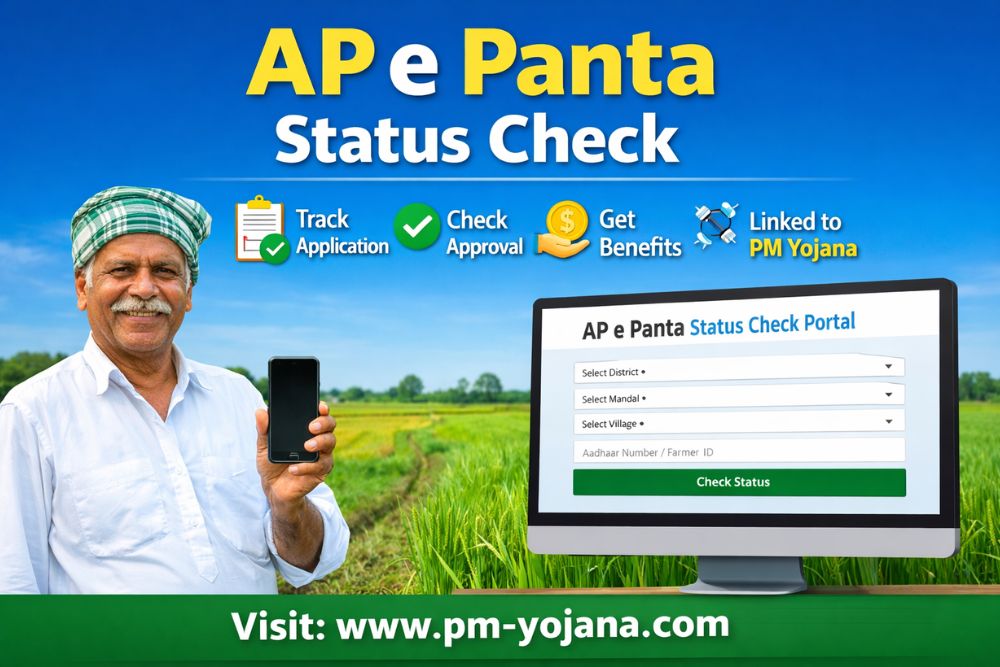
The AP e Panta Status Check facility helps farmers in Andhra Pradesh track the progress of their crop registration and related applications online. Using the e-Panta portal, farmers can confirm whether their crop details are successfully recorded, approved, or still under verification. This digital system promotes transparency, accuracy, and timely access to agriculture-related benefits.
What is AP e Panta?
AP e Panta is an official digital platform introduced by the Government of Andhra Pradesh to record real-time crop cultivation data. It captures essential details such as crop type, cultivated area, season, and farmer information.
The data collected through e-Panta is used for:
- Crop insurance
- Compensation during natural disasters
- Input subsidies
- Various state and central agriculture schemes, including PM Yojana
The e-Panta login feature allows farmers to monitor their applications without visiting government offices.
Why is AP e Panta Status Check Important?
Checking your AP e-Panta status is important because it:
- Confirms successful crop registration
- Helps identify errors or missing information
- Ensures eligibility for government schemes
- Prevents delays in insurance claims or subsidies
- Maintains transparency in farmer records
Regular status checks help farmers take timely corrective action if their application is pending or rejected.
Details Shown in AP e Panta Status
After checking your e-Panta status, the portal displays:
- Farmer name
- Aadhaar or reference number
- Village, mandal, and district
- Crop name and season
- Registered land extent
- Application status (Approved / Pending / Rejected)
- Verification remarks, if any
How to Check AP e Panta Status Online
Follow these simple steps:
- Visit the official AP e-Panta or Agriculture Department portal
- Click on e-Panta Status Check or Crop Registration Status
- Select your district, mandal, and village
- Enter Aadhaar number or Farmer ID
- Click Submit or View Status
Your crop registration status will appear on the screen. You can save or print it for future reference.
AP e Panta Status Check Without Aadhaar
If Aadhaar is not available, farmers may check their status using:
- Farmer ID
- Registered mobile number
- Land account or survey number
However, Aadhaar-based verification remains the most reliable option.
AP e Panta Status Check Through CSC Centers
Farmers without internet access can check their status at:
- MeeSeva centers
- Common Service Centers (CSC)
- Local agriculture department offices
Carry your Aadhaar card and land details when visiting these centers.
New Features in e-Panta 2026
Key upgrades introduced in 2026 include:
- Improved Portal & Mobile App – Faster, simpler, and more user-friendly
- Self Crop Registration – Farmers can update crop details independently
- AI-Based Crop Verification – Photo and AI tools reduce errors
- Enhanced e-KYC – Faster Aadhaar verification with SMS alerts
- Online Grievance Facility – Submit and track corrections digitally
- Weekly Crop Booking Schedule – Clear timelines for registration
- SMS Notifications – Alerts at every stage of the process
- Photo Upload During Verification – Improves accuracy
- Multi-Portal Integration – Data shared across farmer service platforms
- Centralized Crop Database – Single reference for insurance, subsidies, and PM Yojana benefits
Required Documents for Crop Booking
Farmers need the following documents:
- Aadhaar card
- Bank passbook or account details
- Land records (RTC / Pattadar Passbook)
- Survey number or khata details
- Aadhaar-linked mobile number
- Crop details form
- Photo of the cultivated field
- Farmer ID or registration number
Types of AP e Panta Status
Your application may show one of these statuses:
- Approved – Crop details verified and accepted; eligible for scheme benefits
- Pending – Verification or field inspection is still in progress
- Rejected – Application declined due to errors or mismatched records
If rejected, farmers should contact their local agriculture officer for correction.
Common Reasons for Pending or Rejected Status
- Incorrect Aadhaar or personal details
- Land record mismatch
- Duplicate crop entries
- Incomplete crop information
- Verification not completed by officials
Early correction helps prevent loss of benefits.
How to Correct Errors After Checking AP e Panta Status
If errors are found:
- Visit the local agriculture office
- Approach MeeSeva or CSC centers
- Submit corrected land or crop documents
- Request re-verification
Once verified, the updated status will reflect online.
Benefits of Regular AP e Panta Status Checks
Frequent status monitoring helps farmers:
- Stay updated on application progress
- Avoid last-minute issues
- Maintain accurate digital records
- Receive faster approvals
- Access benefits from schemes like PM Yojana without delays
AP e Panta Status and Government Schemes
Approved e-Panta records are linked with:
- Crop insurance
- Natural disaster compensation
- Input subsidies
- Seasonal financial assistance
- Agriculture welfare programs
An approved status ensures smooth and timely benefit disbursement.
Important Tips for Farmers
- Verify crop details during registration
- Use accurate Aadhaar and land information
- Keep reference numbers safe
- Check status after every crop season
- Contact officials immediately if issues arise
Frequently Asked Questions (FAQs)
When does e-Panta crop booking start in 2026?
Crop booking usually begins before the Kharif and Rabi sowing seasons.
What is the last date for e-Panta registration in 2026?
Deadlines vary by season and are announced by the Agriculture Department.
What should I do if my AP e-Panta status is rejected?
Visit your local agriculture office or MeeSeva center to correct errors and request re-verification.
Is AP e-Panta status mandatory for crop insurance?
Yes, only approved e-Panta records are eligible for crop insurance and related schemes.
Will farmers receive SMS alerts for status updates?
Yes, SMS notifications are sent during booking, verification, and approval stages.