
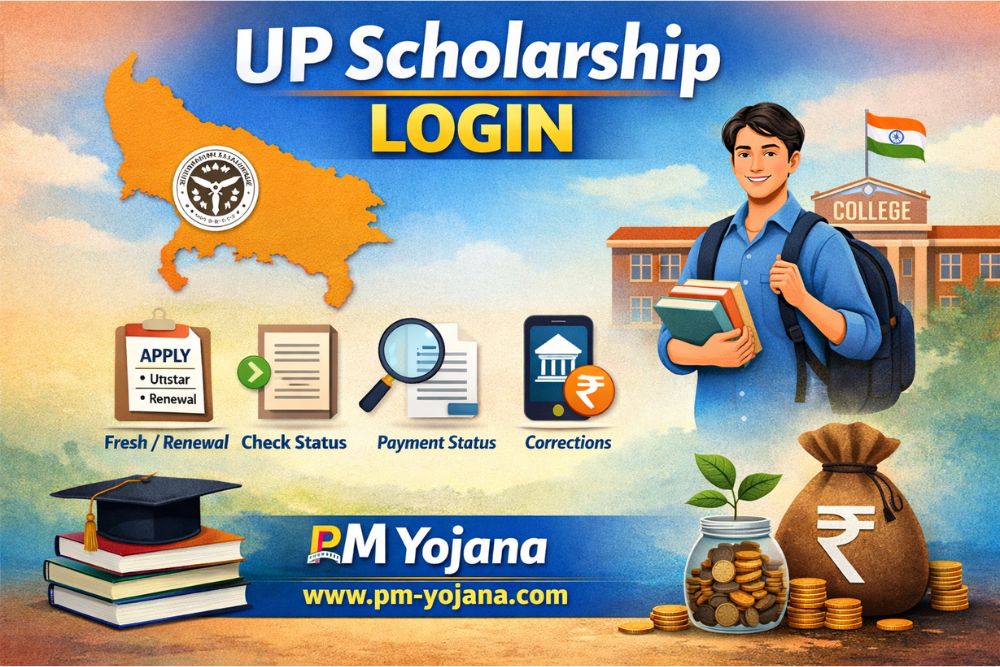
The Uttar Pradesh Government runs the UP Scholarship Scheme to provide financial assistance to students. Under this scheme, millions of students from Pre-Matric, Post-Matric, and Higher Education levels receive scholarship amounts every year. The most important part of this entire process is UP Scholarship Login, through which students can apply, renew applications, check status, and view payment details. This initiative supports students under PM Yojana to continue their education without financial burden.
In this guide, you will learn:
- What Uttar Pradesh Scholarship Login is
- How to do Fresh and Renewal Login
- Required documents for login
- How to check application and payment status
- Common login problems and their solutions
What is UP Scholarship Login?
Uttar Pradesh Scholarship Login is the official online system of the Uttar Pradesh Government, also known as the Scholarship & Fee Reimbursement Online System (SFR).
Through this portal, students can:
- Apply for a new scholarship (Fresh Login)
- Renew previous scholarship applications
- Check application status
- View bank payment status
- Make corrections in the application
This digital system plays a key role in implementing student benefits under PM Yojana efficiently.
UP Scholarship Login Portal 2026
The official website for UP Scholarship is: https://scholarship.up.gov.in/index.aspx
This is the only authorized government portal for Fresh and Renewal Login. Students should avoid sharing personal details on any other website.
Types of UP Scholarship
Before logging in, students must identify their scholarship category:
1. Pre-Matric Scholarship
- Class 9 and 10 students
- SC, ST, OBC, Minority categories
2. Post-Matric Scholarship
- Class 11, 12, Graduation students
- SC, ST, OBC, General, Minority
3. Dashmottar / Higher Education
- Graduation, Post-Graduation
- Diploma, ITI, Professional courses
How to Do UP Scholarship Fresh Login 2026?
Fresh Login is for students applying for the UP Scholarship for the first time.
Step-by-Step Fresh Login Process:
- Visit scholarship.up.gov.in
- Click on the Student section
- Select Fresh Registration
- Choose your category (Pre / Post / Dashmottar)
- Enter required details:
- Name
- Date of Birth
- Aadhaar Number
- Caste
- Mobile Number
- Bank Details
- Complete registration to receive a Registration Number
- Use Fresh Login with Registration Number
- Fill the application form
- Upload documents
- Final submit and take a printout
How to Do UP Scholarship Renewal Login 2026?
Renewal Login is for students who received the scholarship in the previous year.
Renewal Login Process:
- Open scholarship.up.gov.in
- Go to Student section
- Click on Renewal Login
- Enter last year’s Registration Number, DOB, and Password
- Update application details
- Make necessary changes
- Submit the form
Note: Use the same bank account in which you received the previous payment.
Required Documents for UP Scholarship Login
Students must keep the following documents ready:
- Aadhaar Card
- Bank Passbook
- Caste Certificate
- Income Certificate
- Domicile Certificate
- Previous Class Marksheet
- Passport Size Photo
- Fee Receipt (for Post-Matric students)
How to Check UP Scholarship Status Using Login?
Students can check their application status online.
Steps to Check Status:
- Visit scholarship.up.gov.in
- Click on Status section
- Select Application Status
- Enter Registration Number and DOB
- Submit to view status
Status Details Include:
- Submitted / Verified
- Pending / Rejected
- Approved / Payment Sent
UP Scholarship Payment Status Login
Once the scholarship is approved, students can track their payment.
How to Check Payment Status:
- Login to the portal
- Open Dashboard
- Click on Payment Status
- View bank transaction details
Scholarship amounts usually range from ₹1,000 to ₹50,000, transferred directly to the bank account through DBT under PM Yojana.
Common Problems with Uttar Pradesh Scholarship Login
- Forgot Password
- Use Forgot Password option
- OTP will be sent to registered mobile number
- Lost Registration Number
- Search your name in Fresh/Renewal Registration List
- Unable to Login
- Select correct Academic Year
- Turn off Caps Lock
- Clear browser cache
UP Scholarship Correction Login
If any mistake occurs in the application, students can correct it during the Correction Period.
Editable Details:
- Name spelling
- Bank account number
- Caste or income details
Important Tips for Uttar Pradesh Scholarship Login
- Use only the official government website
- Always preview the form before submission
- Apply before the last date
- Keep a printed copy of the form safe
Uttar Pradesh Scholarship Login 2026 – FAQs
Q1. When does Uttar Pradesh Scholarship Login start?
Usually between July and August every year.
Q2. Can students login using a mobile phone?
Yes, but a laptop or desktop provides a better experience.
Q3. Can I change my bank account in Renewal Login?
No, generally the same bank account is required.